Helpful & Effective Online Tools for Teaching Writing In Your Homeschool
Hey, just so you know … This post includes affiliate links. That means if you use them to make a purchase, I may earn a commission. You can read my full affiliate disclosure HERE.
When it comes to teaching writing, you can never have enough helpful resources! Here are 13 extremely useful online tools for teaching writing and guiding your kids with various grammar and writing concepts.
It's no secret that teaching writing can be a challenge. But luckily, there are some great online tools that can help make the process a little bit easier.
Here's what I found to be the best online tools for teaching writing to your kids. So whether you're just getting started with homeschooling or you're looking for new ways to improve your child's writing skills, read on for some helpful tips!
Top Online Tools to Improve Writing Skills For Your Kids
Ultimately, the best online tool for teaching writing is the one that best meets the needs of your child. By Providing a variety of online resources, you can ensure that your kids have the tools they need to understand the correct ways of writing and grammar.
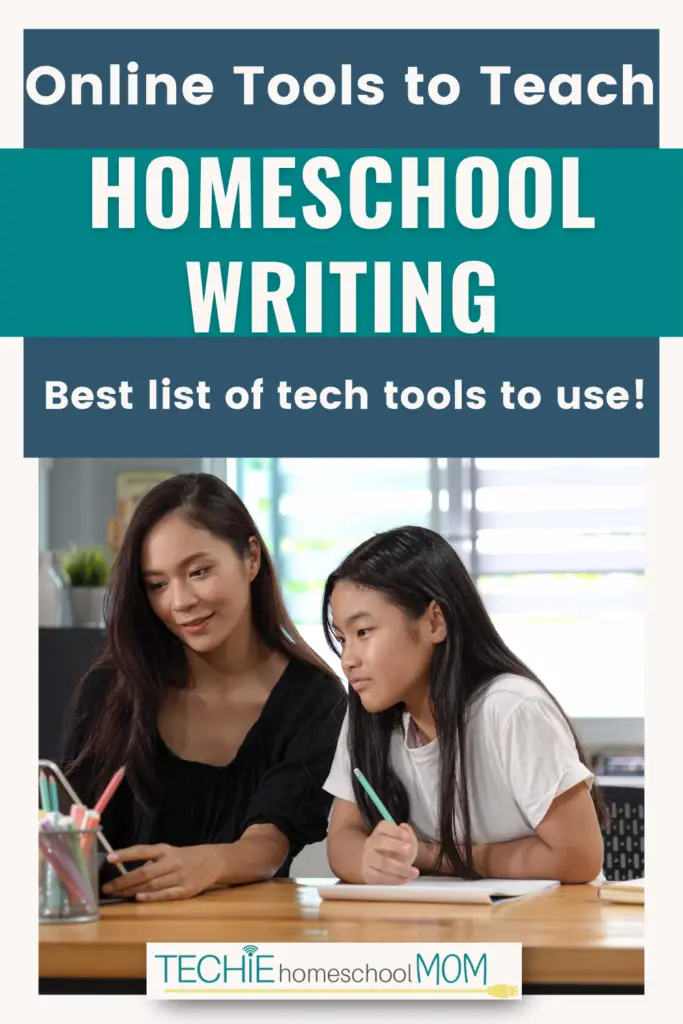
Here are 13 online tools that I found extremely useful when it comes to teaching writing in your homeschool.
1. Night Zookeeper
Night Zookeeper is an online creative writing program for kids ages 6 to 12 years old. I have found this to be a fun platform for my kids to grow in their language arts, grammar, and writing skills as they create unique creatures, take care of their night zoos, and take part in interactive lessons and activities.
Some families choose to use Night Zookeeper as their main curriculum, and others use it as a supplement. As students complete lessons and answer writing prompts, they'll receive personalized feedback from tutors and have the opportunity to participate in optional writing competitions and challenges along the way.
Get a free 7-day trial, and then 50% off your Night Zookeeper subscription here, and get ready to watch your child's imagination soar!
2. The Hemingway Editor
The Hemingway Editor is one of the top online tools for teaching writing. It's a simple, easy-to-use tool that will help make your child's writing more clear and concise. Just enter your child's text into the tool, and it will give you a readability score. The higher the score, the easier it will be for your child to understand their writing.
3. Google Docs
You can't beat that this one is free to use! Just create a new document and when your child's done, you can collaborate with them, adding comments while you critique for review. You can use Google Docs as one of your online tools to improve writing, since it has a spell checker in it and guides you to correct spelling and grammar. Plus, it’s a word processor you can access across all devices and auto-saves as you write!
4. Quill.org
Quill is a great online tool that can help your child with their grammar skills. It's an interactive grammar tool that will assist your child to identify and correct errors in their writing. Plus, it's free to use! It helps with different types of sentences, like fragments and run-ons, and will show your child how to correct them – all for free!
5. National Geographic Kids
National Geographic Kids is a great online resource that can help your child with their writing skills since it's packed with articles, videos, and games that will help spark your child's creativity and imagination. Of course, you can use it with other subjects too, but if your child needs to write some creativity essays or needs to pull facts or refresh their memories on concept, National Geographic Kids is a really cool place to go to for this.
6. Brain Pop
Brain Pop is a great online resource that can help your child with their writing skills. It's packed with videos, games, and activities that will help teach your child about grammar, spelling, and more. This is one I know that several homeschoolers use in their homeschool for many subjects. The videos are pretty funny and definitely engaging – even for me!
8. Free Rice
Free Rice is a quiz game that will test your child's knowledge of grammar, spelling, and more. Plus, for every correct answer, Free Rice will donate 10 grains of rice to help end hunger. It's pretty neat since it has tons of subjects to quiz your child on, and some of those are English-related, which is perfect for practicing grammar and learning different grammar concepts, vocabulary, spelling, and much more! Free Rice is one of the online tools for teaching writing that makes it a wonderful way to give back.
9. NoRedInk
NoRedInk says that they're on a mission to unlock every writer's potential, and from looking through their site, I think that's true. It's a great online tool that can help improve your child's writing skills by using its adaptive learning program that will customize lesson plans to your child's individual needs. Kids can edit sentences, rearrange them, organize their ideas into outlines, and even manipulate multi-paragraph passages. You can start using NoRedInk for free as a homeschool parent!
10. Grammarly
Grammarly is a grammar checker that will identify and correct errors in your child's writing. This way, you can be sure that your kids' writing is accurate and error-free. After writing an essay or a report, your child can copy and paste the information into Grammarly to correct all grammar and spelling errors.
11. Quillbot
This one's a little different, but I found it to be super cool so I had to share! Quillbot is an AI-powered writing assistant that can help improve your child's writing skills. All you do is type or paste in your child's text and Quillbot will suggest corrections and improvements. It paraphrases text, expands, shortens, and it's a grammar checker and plagiarism checker. Plus, it does a lot more cool things, and has student resources and guides to learn how to use it.
12. Write To Learn
Write To Learn is a great online tool that can help improve your child's writing skills. It's an online writing program that will help your child with their grammar, spelling, and more. It's a web-based tool for teaching writing and reading comprehension. Your kids can use WriteToLearn to develop the ability to build upon the capacity to summarize what they've read. They practice essay writing and summarizing while enhancing their writing and reading comprehension abilities.
13. ProWritingAid
ProWritingAid is a great online tool that can help improve your child's writing skills. It's a grammar checker, spell checker, writing mentor, and much more all in one handy tool. This tool will identify any errors and suggest corrections for creative writing, business writing, and academic writing.
Helpful & Effective Online Tools for Teaching Writing In Your Homeschool
I hope you found these online tools to improve writing tools helpful and, when you use them, effective for your homeschool lesson teaching. Not all of these tools do the same things, as some have games to practice concepts and other literally show your child where they made a mistake – and helps fix those mistakes. But all of these tools are awesome to have bookmarked on your browser so when the time comes to use a certain one, it's right there

Do you have any other favorites that you use? Let me know in the comments below!

Related Posts
- Citing Sources: How to Teach Your Kids This Valuable Skill
- Techie Ways to Help Your Child Struggling with Bad Handwriting
- A Homeschool Mom Hack for Teaching Writing Skills

Want some techie homeschooling tips and inspiration delivered to your inbox? Sign up here for weekly-ish emails from me.
Techie Homeschool Mom is a participant in the Amazon Services LLC Associates Program, an affiliate advertising program designed to provide a means for sites to earn advertising fees by advertising and linking to Amazon.com. You can read my full affiliate disclosure HERE.