
10 Best Apps for Homeschooling High School
Hey, just so you know … This post includes affiliate links. That means if you use them to make a purchase, I may earn a commission. You can read my full affiliate disclosure HERE.
Welcome to the #TechieHomeschool IRL blog series! In this post, my guest Jennifer shares some of the best apps for homeschooling high school that will enrich and add value to your curriculum.

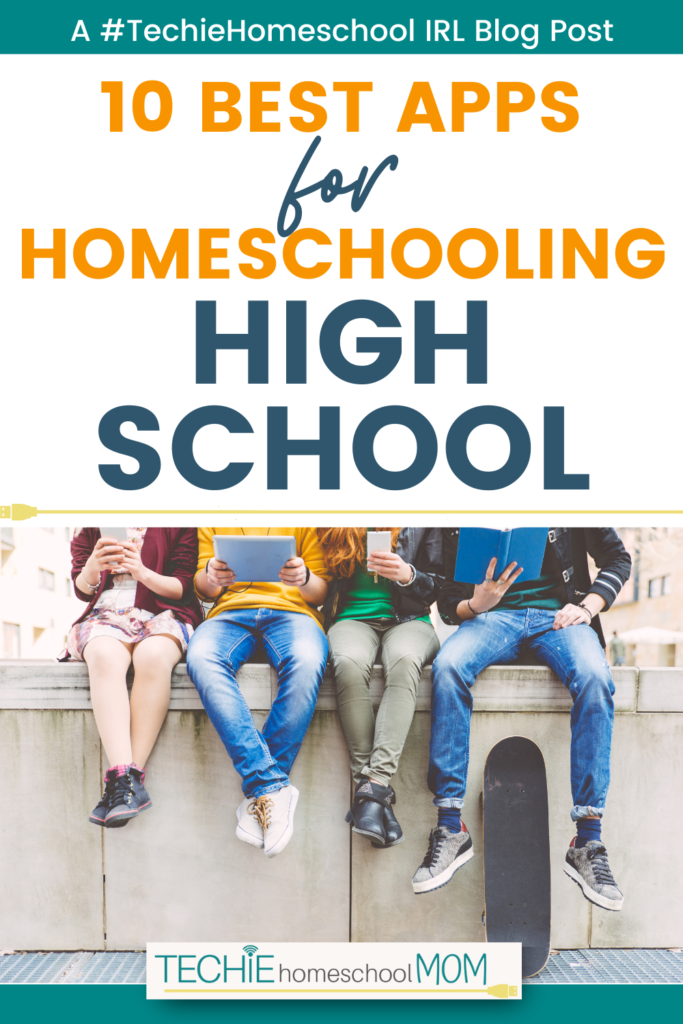
Apps can make everything easier, including homeschooling high school! These educational apps are excellent additions to your phone or tablet. High schoolers and homeschooling parents will find them useful when studying, exploring new interests, or creating a schedule that balances classes at home with outside instruction.
All of these apps are free but some do offer additional services for a fee. If you are considering upgrading, try to use the free trial to make sure you actually use the additional features.
10 Best Apps for Homeschooling High School
Duolingo
Devices: Android and iOS
Duolingo is a great way to practice foreign language skills. Duolingo takes care of all of the planning, students just need to show up and work through the exercises. Exercises include listening, speaking, and reading the chosen language.
It only takes a few minutes to work through a lesson, so it is perfect for productively using otherwise wasted time like when waiting in line.
Duolingo offers instruction for quite a few languages:
- Spanish
- French
- German
- Italian
- Portuguese
- Dutch
- Japanese
- Arabic
- Czech
- Welsh
- Danish
- Greek
- Esperanto
- Finnish
- Irish
- Scottish Gaelic
- Hebrew
- Hindi
- Haitian Creole
- Hungarian
- High Valyrian (Game of Thrones fans will love this one!)
- Hawaiian
- Indonesian
- Korean
- Latin
- Norwegian
- Navajo
- Polish
- Romanian
- Russian
- Swedish
- Swahili
- Klingon (Perfect for Star Trek fans.)
- Turkish
- Ukrainian
- Vietnamese
- Yiddish
- Chinese
- Zulu
Google Translate
Devices: Android and iOS
The Google Translate app can come in very handy when working on foreign language coursework. It is perfect for those times when you get stuck on the meaning of a word. Users can type a word in and see the translation, but they can also scan it with their device camera. This feature is very useful when trying to translate a sentence or a larger passage.
Google Translate works with over 120 languages, including:
- English
- Spanish
- French
- Latin
- Finnish
- Russian
- Chinese
- Zulu
Socratic by Google
Devices: Android and iOS
The Socratic app helps users find answers to their questions. All they need to do is type or scan the question and Google will show answers in the form of explanations, visual explainers, questions and answers, related videos, and links.
The Socratic app is useful for just about any subject – math, history, science, and language arts.
Khan Academy
Devices: Android and iOS
The popular free educational website Khan Academy is now also available as an app! High school students can use this app as a study tool or learn more about a topic that they find interesting.
Check out ways to use Khan Academy.
The subject areas include:
- Math
- Science
- Economics
- Arts and humanities
- Computing
- Test prep
- Life skills
Students can bookmark specific content areas so they can easily find them again.
Photo Math
Devices: Android and iOS
Photo Math is one of my favorite apps for homeschooling high school. We use it all the time!
Simply use the app to take a photo of a math problem. The app will then show you the result and all of the steps used to reach the answer. This comes in quite handy when students (and their parents) are stuck on a math problem.
Chemistry and Periodic Table
Device: Android and iOS
This app will be incredibly handy for high school (and college) chemistry students. It is a very simple app but can quickly perform quite a few functions. It includes:
- Reactions – enter a chemical formula to see the chemical reaction
- Periodic table of elements – click on elements to see detailed information
- Solubility table
- Molar mass calculator
- Electronegativity of elements
- Molecular weight of organic substances
- Reactivity series
- Acid strength chart
…RELATED POST…
Earn College Credits in High School By Taking These Tests
Quizlet
Devices: Android and iOS
Quizlet is an excellent tool for studying. This app contains digital flashcards. You can create your own flashcards or use cards other people have created. Using sets that other students and teachers have created can be a huge time saver.
Subjects available include:
- Arts and humanities
- Foreign languages
- Math
- Science
- Social studies
StudySmarter
Devices: Android and iOS
StudySmarter is another great app designed to help students study. You can efficiently create study materials, explore materials, and prepare for exams.
Study areas include:
- Arts
- Biology
- Economics
- English language
- Foreign language
- Mathematics
- Physical education
- Physical science
- US government
- US history
- World History
- Test prep (AP, SAT, ACT, etc.)
One nice thing about the StudySmarter app is the ability to set goals. Learners can set goals based on things like the number of days studied or the number of slides examined.
…RELATED POST…
6 Reasons You Should Try Study.com for Homeschooling
My Study Life
Devices: Android and iOS
My Study Life is a digital student planner. It is great for high school students who are taking classes through an online school, a co-op, or through dual enrollment.
Students can set up their calendars with their class schedules and break schedules. They can also add in assignment due dates. The task section lets students mark a progress level for each assignment so they can quickly see what they need to work on when making their to-do lists.
Desmos Graphing Calculator
Devices: Android and iOS
This free graphing calculator is a convenient way to graph math equations. It can be used to complete math assignments or to check work. However, I would recommend you use this app as a backup.
Students are not allowed to use cell phones during tests like the SATs, so they should also be comfortable with a traditional graphing calculator.
I hope these apps help you make the most of screen time. They are the best homeschool apps I have found for high schoolers.
About the Author

Jennifer Knick
Jennifer Knick was a public school teacher who began homeschooling after a disappointing school experience for her daughter. More than a decade later she is so thankful that she took the leap and entered the homeschool world. When she isn’t busy homeschooling her two children, she provides parents with fun educational activities and organizational strategies atOrganizedHomeschooler.com.
Techie Homeschool in Real Life Series
This post is part of the Techie Homeschool in Real Life blog series. If you are looking to increase your homeschool tech knowledge, you won't want to miss any of the guest posts! Learn more about the series and read all of the other posts included here.
Techie Homeschool in Real Life Sponsors
This series would not be possible without the support of it's sponsors. I am encouraging you to visit each of them listed below to learn more about their company, product, or curriculum, and how they can enhance your techie homeschool journey!







Enter the Series Giveaway!
Thanks to our sponsors, we have some amazing prizes to give away during this series both here, as well as in the Facebook group and newsletter. You won't want to miss any of it!
Here, you can enter to win one of TWO $200 Giftogram Gift Cards. The winners will have over 200 brands to choose from when selecting their gift card.
Use the KingSumo form below to claim as many entries as you can to get in on this amazing giveaway. Each blogger represented on the entry form has contributed to make this series happen, so definitely take the time to do all of the entries (someone’s gotta win this thing – could be you!).

Giveaway ends February 28, 2023 at 11:59pm CT. Must be at least 18 years of age. Must be a resident of U.S. to enter. Selected winner will have 48 hours to respond to email notification to claim their prize, or another winner will be drawn.

Want some techie homeschooling tips and inspiration delivered to your inbox? Sign up here for weekly-ish emails from me.
Techie Homeschool Mom is a participant in the Amazon Services LLC Associates Program, an affiliate advertising program designed to provide a means for sites to earn advertising fees by advertising and linking to Amazon.com. You can read my full affiliate disclosure HERE.






We regularly use some of these apps, and I’m interested in learning more about a few of them.
WOW awesome suggestions here!! I’m off to check out some of these now!! Thanks so much.
Thank you for this list!! We learned about a few we didn’t know that will be extremely helpful!!
Thank you for this list and explaining them. There were two we regularly use, three we had used(I don’t know why we don’t anymore), and of the other five- I would like to start with three.