
Homeschool P.E.: Techie Homeschool Style
Hey, just so you know ... This post includes affiliate links. That means if you use them to make a purchase, I may earn a commission. You can read my full affiliate disclosure HERE.
Looking for a way to get your tech-loving kids excited about homeschool P.E. (physical education)? Check out how you can use the Nintendo Wii as an integral part of your homeschool P.E. curriculum.

Concerns About Gaming
Since the invention of video games, parents have harbored concerns over the impact that gaming has on their children’s development. Here are a few things parents worry will happen if their child plays video games too much (or at all):
- The violence in video games will corrupt their children.
- The games will negatively impact their child’s cognitive abilities.
- Their kids will become couch potatoes
- Playing so much will lead to carpal tunnel syndrome and eye strain.
However, the truth is that not all video games are violent or will “rot your brain”. And now, thanks to revolutionary motion-detecting video game technology, it’s super easy to get kids excited about physical activity. In fact, they’ll be so busy having fun that they won’t even realize that what they’re really doing is exercising.
Our favorite fun fitness gaming platform for homeschool P.E. is the Wii Fit Plus.
… RELATED POST …
How to Use Popular Video Games for Homeschooling
Nintendo Wii Fit Plus for Homeschool P.E.
This exergaming program was designed to work with the Nintendo Wii and is an expansion on the original Wii fit. The Wii Remote controller and the Wii Fit Balance board combine to read your real-life movements and insert you into a variety of fun, full-body games the whole family can enjoy. Best of all, there is zero writing or typing of information required. This makes it easy for even pre-readers to use, and the fact that it’s a game will make getting in regular exercise fun for the whole family! The Wii Fit Plus provides several features that help make getting fit a fun, family activity.
Training Features
3D Demo
Doing a new workout, especially when you haven’t worked out in a while, can be hard to manage if you don’t know HOW to do the moves. Thankfully, the Wii Fit Plus provides you with the chance to view a 3D model of each exercise, performed by a virtual personal trainer. You can watch the trainer do each workout in real-time. You can also adjust the angle and depth so that you can see exactly how to move and position your body throughout the exercise.
Feedback
Another benefit the Wii Fit Plus offers is feedback on your performance. For example, you can see actual animations showing your center of balance so that you know whether or not you need to adjust during your yoga and strength training sessions. Afterward, you also receive feedback on your overall performance so that you know your areas for improvement.
Fit Bank
Fitness experts agree that doing the same workouts over and over again causes the workouts to lose their effectiveness. You have to switch things up and add in new workouts. The people at Nintendo have handled this for you with their Fit Credits system. The more that you do your daily training, the more credits you earn. The more credits you earn, the more activities you unlock.
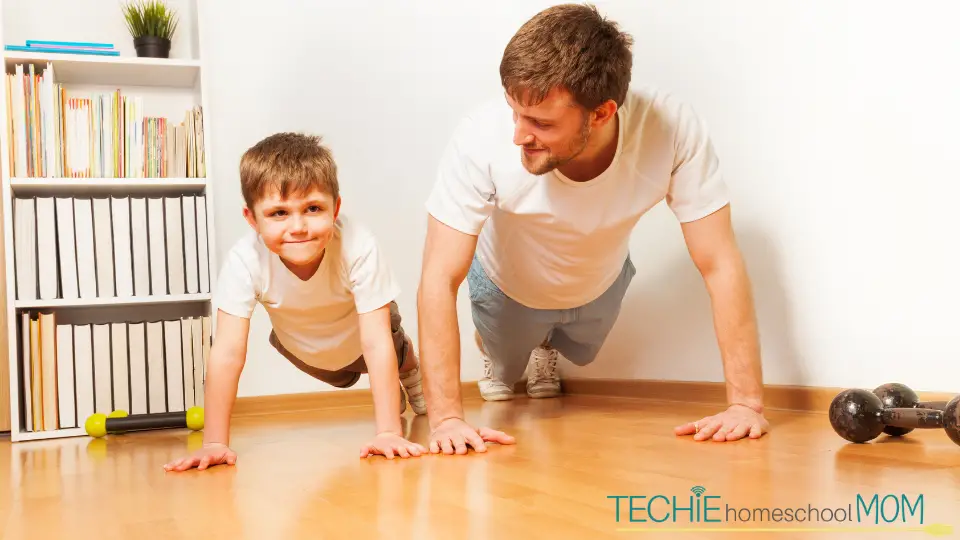
Homeschool P.E. Training Modes
With the Wii Fit, you can access five different training modes.
Yoga
If you need to work on improving muscle tone and posture or just need a good stretch before a workout, go into yoga mode to work your way through nine different poses, including Tree, Warrior, and Half Moon.
Balance Games
Have balance issues? Did you know it can affect your health? Having an off-center balance can lead to poor posture and bodily strain. Play some of the balance games to help improve your balance. Games like Ski Slope, Table Tilt, and Soccer Heading make it fun!
Strength Training
If the goal is building and toning muscles, strength training exercises such as planks, leg extensions, torso twists, and lunges can help. As usual, your on-screen trainer will be there to remind you to breathe and to give pointers based on your performance.
Aerobics
For full-body toning that will help you burn fat, head to the Aerobics mode where you can go for a virtual jog around WuHu Island, twirl a Hula Hoop around your waist, and even go for a two-person run.
Training Plus
The Training Plus game comes packed with 15 activities guaranteed to get you moving and maybe even smiling. With games like Snowball Fight, Skateboard Arena, Driving Range, Rhythm Kung Fu, Balance Bubble Plus, and Basic Run Plus, there are some really fun options for the whole family. If you need to work on your balance, games like Ski Jump, Soccer Heading, and Table Tilt are great ways to put the Balance Board to use. If you’re looking more for aerobic activities that will help you and your family tone up, then activities like Hula Hoop, Two People Run, and Basic Step are what you need.
My Wii Fit Plus for Homeschool P.E.
Customize workouts
With My Wii Fit Plus, you can customize your workout to meet certain physical needs. Combine a series of workout activities to create a routine that is perfect for each member of your family. You can also keep track of favorite and least favorite exercises.
Check and track calories
Another feature in My Wii Fit Plus is the calorie checker. Simply set your “calories burned” goal and it will tell you how much activity you need to do to make it happen. You can also keep track of your actual calories burned. You can also see how many calories will be burned by completing each activity, making it easy to choose which ones will have the most impact.
Set BMI goals
The first time that you play Wii Fit Plus, you will have the opportunity to set your BMI goal, including the timeframe. Your goals will appear on your calendar and graphs, making it easy to track your progress at a glance.
Track Activity
You can also keep track of any exercising you do outside of the Wii Fit Plus with the activity log. This is a great way to keep track of your family’s full physical activity.
Body Test
Part of knowing your progress is knowing where you are now. With the Body Test, you will use the Wii Balance board to measure your center of balance, your Body Mass Index (BMI), body control. These measures will be used to calculate your Wii Fit Age. Then you can track your progress of these things over time and compare it with the rest of your family.

Different Wii Fit Modes
Multiplayer Mode
Want to play together as a family? Multiplayer mode lets up to 8 different players take turns using the balance board to play 9 games. This way, the entire family can get some physical ed in their day!
Trial Mode
Do your kids have friends over and you want to let them play the Wii Fit Plus, but don’t necessarily want to create a new profile for them? Trial mode lets anyone play Wii Fit Plus without you having to create a profile for them. They can play 15 different activities
With a Nintendo Wii as part of your homeschool, P.E. (physical education) never has to be the same again. It can help you ensure that your children are physically active and make record-keeping easier since you can actually track how much fitness time they have logged. You can assign video gaming with the Wii Fit Plus as part of their daily coursework. In states (like Colorado) where homeschool laws require daily time minimums for physical education, this can be perfect for parents who find themselves needing to squeeze in more activity each day.
Wii Fit Plus does not mean your kids have to do P.E. alone either. One of the big stigmas with homeschooling is the socialization myth – “homeschoolers are hermits who seclude from society and whose kids do not have ample socialization opportunities.” Well, with Wii, you can go bowling in the living room with a crew of homeschoolers. Kids can race each other. Wii Fit Plus is good for collaborative and competitive games, all of which support multiple players. Wii Fit Plus helps build socialization opportunities, largely due to its popularity among children.
Final Thoughts
On rainy days, Fit Plus can definitely provide all the physical ed activity a child needs as well, meaning the bad weather does not have to cause make-up time for P.E. later on. Break out the Wii.
Bottom line, Wii Fit Plus is a good addition to a homeschool P.E. curriculum. Be it making fitness accessible, understandable, and fun, or the socialization opportunities, or the flexibility to use it even when weather is bad, Wii Fit Plus adds another dimension to physical education.
Wii Fit Plus isn’t the only exergaming option for the Wii. Your family can also enjoy these other Wii titles:

I'd love to hear from you! Do you use Wii Fit as part of your physical education curriculum? If not, give it a try! Use something else? Tell me about it in the comments below!

Related Posts
- Top Workout Apps That Keep Your Whole Family Fit
- 6 Techie Ways to Bond With Your Child
- Physical Activities for Kids Who Prefer Screen Time Over Active Play

Want some techie homeschooling tips and inspiration delivered to your inbox? Sign up here for weekly-ish emails from me.
Techie Homeschool Mom is a participant in the Amazon Services LLC Associates Program, an affiliate advertising program designed to provide a means for sites to earn advertising fees by advertising and linking to Amazon.com. You can read my full affiliate disclosure HERE.