Homeschooling Preschool? My New Favorite Techie Resource
Hey, just so you know … This post includes affiliate links. That means if you use them to make a purchase, I may earn a commission. You can read my full affiliate disclosure HERE.
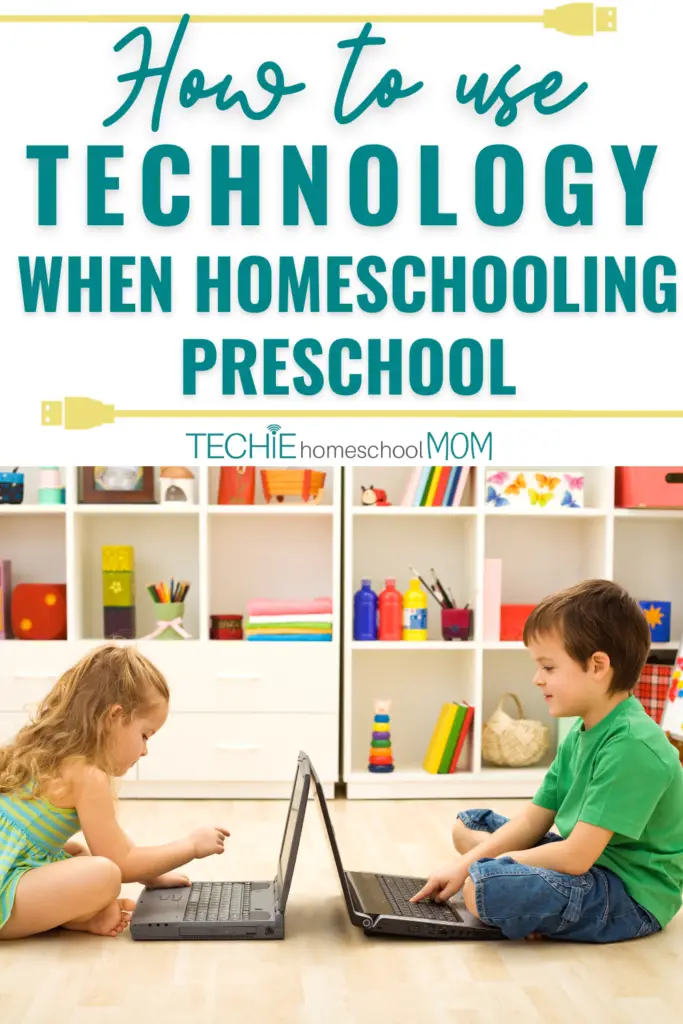
One of the best things about homeschooling preschool is the flexibility; not only in what our little kids learn, but also how we teach them.
And if you follow my blog, chances are you love using technology in your homeschool as much as I do (or are at least open to learning how tech can support or enhance your kids' education!).
Preschool is definitely an age category where people have a mixture of views on when, how, and how much technology to introduce their kids to. All kids are different, and as parents, we have a responsibility to discern how they'll learn best and what is right for them as individuals.
To help you do that, I'm going to share with you some benefits of using techie tools with your preschooler in your homeschool, and some great resources to consider if you could use some help in this area, or just want to learn a bit more about it.
** This is a sponsored post. I received this product or compensation for review purposes only and was compensated for my time. I was neither asked nor required to share a positive review; all opinions are my own. READ HERE for more information.
How Can Technology Benefit Our Homeschools?
I often hear people say they are worried their kids will become addicted to technology, or want to be glued to a screen all the time if they allow it at all.
I'm not saying this can't happen. But we have a great opportunity to teach our kids good, productive screen-time habits, and show them all of the ways to use it in a positive manner…rather than making it out to be the enemy all the time.
Because the truth is, there are certainly some benefits that can come from thoughtfully-included screen-time in our homeschools – if you decide including it is a good fit for your family!
Here are a few perks you might enjoy when you embrace technology in your home education:
Increased engagement
Technology can be used to make learning more interactive and engaging for students, particularly through the use of educational games, simulations, and virtual reality.
Better access to information and resources (many that are free!)
Technology can provide your homeschool with access to a wide range of information and resources, including online databases, educational videos, ebooks, audiobooks, and online courses and classes.
Improved communication
Technology can be used to connect students with one another, as well as with teachers and resources, in new and more effective ways.
Collaboration
Collaborative tools like Google Docs or Google Classroom for example, enable you to be able to work with your kids on projects and assignments in real-time.
Increased flexibility
Technology can make education more flexible, allowing your child to learn at their own pace and on their own schedule. For example, most online courses can be accessed from anywhere, at any time. Audiobooks and relevant podcasts can be listened to while driving in a car, or waiting for a dental appointment.
Better data tracking and assessment
And lastly, technology can make it easier for you to track your child’s progress and to see how they are doing, and where they need a little bit of help.
All of these are just some of the benefits our family has experienced…and I'm sure there are many others!
At the same time, you must understand that technology is a tool, and you need to find a balance in your home in using it (and teach your kids how to have that balance as well).
What About Preschool?
Technology can be a real attention grabber for our little ones when you homeschool preschool. Especially if you have older kids in the home that use it – it's hard to keep that curiosity at bay!
But, here's the catch: you’ve got to choose the right stuff. Not only age-appropriate, but resources that will help you find and create that balance between on-screen and off-screen activities.
For example, this year I really enjoyed a hands-on curriculum with my preschooler, and we added a bit of technology to it with the use of a program called Homeschool+.

Homeschool+ is an adaptive curriculum created by the makers of ABCmouse and Adventure Academy, and is geared for ages Pre-K through 2nd grade.
There are three distinct curriculum components to Homeschool+: My Math Academy, My Reading Academy, and the Arts, Sciences, and General Studies curriculum. My son thinks he's just having a great time interacting with the characters on the screen, and I have been thrilled to utilize a program that is truly customized to where he is at in his personal learning process.
Options for Homeschooling Preschool with Technology
So, you know you want to utilize resources that are not just “techertainment”, but age-appropriate and educational. Here are some great places to start for your preschooler!
Online Curriculum
When selecting an online curriculum for a preschooler, I think it's important that the technology is just one component of a well-rounded curriculum, that also includes just as much hands-on, interactive learning (or, at least gives you that option!). I have found that Homeschool+ provides exactly this!
The math program takes kids through essential skills and concepts (up to 2nd grade level), and your beginning readers will work their way up to full reading comprehension. There are many different games and activities to work on within a single concept, and everything is creatively interactive – my son was constantly touching, dragging, clicking, or tracing objects on the screen, which was really fun for him!

In addition to the Math and Reading program they offer, there are 12 additional courses covering Arts, Sciences, and General Studies. And every single one of these courses comes with an offline lesson plan, that is hands-on, interactive, and complements what your child is learning online!
Another key feature to look for in an online program is adaptive learning, which Homeschool+ does not take lightly. They know that preschoolers learn at different paces, and their technology utilizes Age of Learning's patented adaptive learning system. This means that their games and activities are designed to adjust as kids progress, which keeps them encouraged, motivated, and engaged.
For example, when my son first started, I quickly realized that the math skills he was being given were above his level. The program automatically adjusted to help him work on the skills he needed in order to build a strong foundation. At his level, we have been working a lot on number sense, recognition, ordering numbers and counting. I love that I don't have to do any planning, or worrying about which concept I have to teach him next!
Homeschool+ has everything you might want and need in an online preschool curriculum. Learn more here, and get your first 10 days for free (then $49.99/month until canceled) so you can give it a try as well!
Interactive Educational Apps
Many interactive apps are specifically designed for preschoolers and are built to keep their attention. These apps and games can be used to teach basic concepts such as numbers, letters, and shapes, and often include fun characters and colorful animations to keep children engaged.
For example, have you heard of “Monkey Preschool Lunchbox“? It's a blast! “Elmo Loves ABCs” is a classic too, and of course, ABCmouse is a well-loved favorite.
These apps are packed with colorful animations and cute characters that will keep your preschoolers engaged and excited to learn.
…RELATED POST…
The Best Educational Apps for Preschoolers
Interactive Storybooks
Interactive storybooks can be a great way to encourage preschoolers to develop their reading skills. Some examples of interactive storybooks include “Toontastic,” “Sesame Street Storybooks” and “Booksy.” These apps often feature animation and sound effects that can make the stories more engaging for young children.
Educational Toys
There are a variety of educational toys that can be used by preschoolers that incorporate technology to make learning fun.
For example:
- “Leapfrog My Own Leaptop” is a toy laptop that helps preschoolers learn about letters, numbers, and music through interactive play.
- “Osmo Genius Kit” that uses a combination of physical manipulatives and an iPad to teach coding, math and more.
Educational Videos
Educational videos can be a great way for your child to learn about new concepts and ideas.
Some videos are designed to be interactive, with games and quizzes that encourage children to think and learn (such as the ones we love from Homeschool+). What makes them even more fun is when the creator uses catchy songs and lively animation that can hold the attention of preschoolers. Baby shark, anyone?
Virtual Field Trips
Virtual field trips can take children to places they might not otherwise be able to go, such as a zoo or a museum, or even outer space! These trips can be a great way to introduce preschoolers to new concepts and make learning more interesting and engaging.
It's important to keep in mind that all the above are examples, and new technology emerges on a regular basis. It's also important to evaluate the technology tool before you use it, to make sure it is appropriate and aligns with what you want to teach your child.
You CAN Successfully Use Tech While Homeschooling Preschool
Incorporating technology into your homeschool can be a great way to enhance the learning experience for your children.
It's important to find a balance when incorporating technology into your child's education. Always think about it beforehand, and set boundaries and screen time limits in place, choose age-appropriate and educational technology, and encourage hands-on, interactive learning alongside technology use.

By using technology as one tool among many in a well-rounded education, parents can provide their children with a personalized, engaging, and effective learning experience when homeschooling preschool.

Related Posts
- 5 Ideas for Techie Family Fun
- Choosing the Best eBook Subscription for Your Family
- 15 Educational Games for Kids that Teach STEM

Want some techie homeschooling tips and inspiration delivered to your inbox? Sign up here for weekly-ish emails from me.
Techie Homeschool Mom is a participant in the Amazon Services LLC Associates Program, an affiliate advertising program designed to provide a means for sites to earn advertising fees by advertising and linking to Amazon.com. You can read my full affiliate disclosure HERE.