6 Virtual Learning Tips to Set Your Kids up for Success
Hey, just so you know ... This post includes affiliate links. That means if you use them to make a purchase, I may earn a commission. You can read my full affiliate disclosure HERE.
Techie homeschool moms, did you feel like a bit of a trendsetter last year? With so many people transitioning to virtual learning, all of us who have been using online classes for homeschooling had a great opportunity to share our favorite online platforms and savvy online learning moves.
When schools first shut down, many parents struggled with the transition to virtual learning. However, even as things start to go back to “normal”, virtual learning is here to stay for many families.
In a homeschool setting especially, there are many great options for virtual learning. And because I've been around the block with online classes a bit, I've got some tips to make virtual learning more manageable.
… RELATED POST …
Four Crucial Reasons Your Should Be Homeschooling Online

Tip #1: Proactively teach your kids the basic skills they need for virtual learning.
Everyone knows that there are basic skills a student needs to be a successful learner, right? Things like how to hold a pencil, use the table of contents in a book, organize their school supplies and not interrupt someone instructing them.
Well, there’s a unique set of skills they need for taking online classes. Your kids need to know how to:
- log-in to websites and online classrooms (and be on time!)
- turn video and audio on and off
- check virtual messages
- “turn in” assignments via file uploads
- access replays if they miss a class
- communicate with instructors and other students during class
Fortunately, there are lots of tutorials available to teach you how to do these things.
Whenever my kids need to use an unfamiliar platform for their classes, I have them watch tutorials about the app. They usually roll their eyes because they think they can figure it out (and they probably can). But, I feel better knowing they'll learn some tips they couldn't figure out on their own.
Tip #2: Make sure you have the right equipment for your kids to get the most out of their classes.
I get a lot people asking me about the best devices for homeschooling online. As you begin incorporating more virtual learning into your homeschool, the items you need will change. At times, they can be more costly, so you will want to make a plan and budget for them as needed.
Chromebooks are definitely a popular option for homeschool computers, as they are fairly inexpensive, portable, and have many useful features. Recently, we discovered Tanoshi 2-in-1 Kids Computer and used that (and loved it!) for all three of our kids this past year.
I discuss some great options in this post that will help you find the other equipment to make your online learning experience a positive one.
Tip #3: Organize your child's learning space (both physical and virtual).
I know how easy it is for me to get distracted when working online (anyone else have 100 different tabs open at the same time?). It can be just as hard for our kids to stay focused during virtual learning. This is why it's important to keep their space as distraction-free as possible.
This includes keeping their workspace free from clutter and having their materials organized and close at hand. If possible, keep all toys and games in a different room.
A website blocker can also be a great choice if your child struggles with distractions online while homeschooling. Freedom is an app and website blocker I recommend that will help balance distractions in a virtual learning atmosphere.
Tip #4: Sign up for a password manager.
One of a techie homeschool mom’s biggest headaches is password management. Multiple kids, multiple websites on top of an already existing mommy mush brain… no thank you!
A password manager stores all your passwords and fills them in when you visit the login page of a website. It measures the strength of your passwords and generates new strong passwords when you need one. It also stores other information you want to be secure, but easily accessed. Multiple people can share an account, it syncs to all our devices and it’s easy to use.
All you need to remember is your master password. That’s gold for a techie homeschool mom who’s managing the digital life of multiple kids.
The password manager I recommend is Dashlane. You can try it out here if this sounds like a helpful tool. I do recommend the Premium version if you want to sync across devices and allow your whole family to use one account.
Tip #5: Get Google accounts for each of your kids so that your devices will be synched.
I know lots of families don’t have one computer per child, so your kids need to share. But that can lead to frustration of one child closing another’s windows or logging them off of sites.
If each child has their own online identity (i.e. Google account), they can log into their Chrome account from a different device and have everything remembered. You can set up a profile on each computer for each kid. If they need to switch computers, they can just start back up where they left off.
I’ve got a tutorial in my Guide to Digital Homeschool Organization that shows you how to do all this. You can access the lesson about setting up those Google accounts for free HERE.
Tip #6: Follow up with your kids after class.
Even though your kids have an online instructor, you are still the boss. It’s really easy to assume your kid is doing fine in a class, but it’s more important that you investigate to see how the class is really going.
Find out what they learned in the class. What made sense? What didn’t?
What was the most interesting thing about the session? What assignments do they need to complete? And what’s the plan for getting them done on time?
If your child’s online classes are self-paced, be sure to review any reports that available through the site. Sometimes, there’s a parent dashboard that will let you see what your child has completed.
I've got a customizable student planner that will help hold your kid's accountable for doing their online work (and offline work). You can sign up to get a copy of that planner page HERE.
We talk a lot about online learning in the Techin' Your Homeschool Facebook group. Are you a member? If not, I’d love for you to join us!

What would you add to this list? Give me your best tip for virtual learning success in the comments!
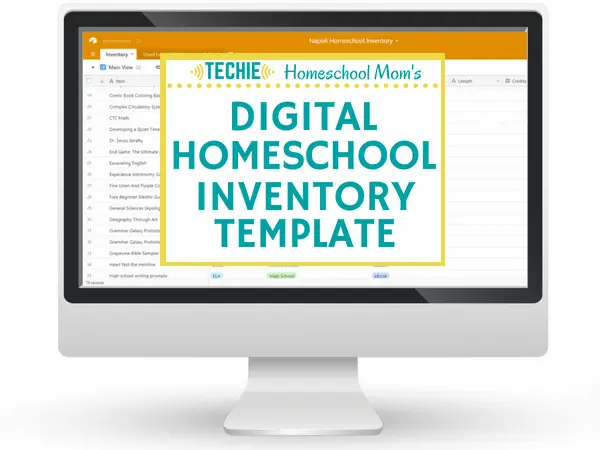
Need a way to keep track of all your digital homeschool files, curriculum, and online courses?
Create a Digital Homeschool Inventory List.
Sign up to receive your Digital Homeschool Inventory Template
Related Posts
- The Best Devices to Use for Online Learning
- How to Balance Tech Work and Book Work in Your Homeschool
- How to Use Educational Podcasts for Homeschooling

Want some techie homeschooling tips and inspiration delivered to your inbox? Sign up here for weekly-ish emails from me.
Techie Homeschool Mom is a participant in the Amazon Services LLC Associates Program, an affiliate advertising program designed to provide a means for sites to earn advertising fees by advertising and linking to Amazon.com. You can read my full affiliate disclosure HERE.