
Using Technology to Homeschool a Child with Dysgraphia
Thanks to my guest, Chris, for sharing how her family uses techie homeschool resources to educate a child with dysgraphia. She has been a Charlotte Mason homeschooling mom for nearly a decade to two boys, including one with dysgraphia. Chris posts about tech tips and tools for the modern homeschool mom at TechSavvyHomeschool.

Hey, just so you know ... This post includes affiliate links. That means if you use them to make a purchase, I may earn a commission. You can read my full affiliate disclosure HERE.
Our dysgraphia journey began in second grade when I realized that my son's writing meltdowns were a sign of something more. These dysgraphia strategies are the ones we have used for nearly a decade in our homeschool to help my child.
What is dysgraphia?
If handwriting and getting thoughts on paper is a continual struggle for your child, it is possible he or she has dysgraphia, a learning difference or learning disability that affects a student's ability to write, spell, and type.
Dysgraphia often shows itself as “messy handwriting,” but it goes much deeper. It affects how a child's brain processes writing, spelling, typing, and more.
It is often found alongside dyslexia or dyspraxia but can occur alone.
We were already homeschooling when my child was diagnosed but homeschooling is a wonderful choice for a child with dysgraphia because of the freedom and flexibility it provides.
Technology is a big part of our homeschooling with dysgraphia. We use apps and programs daily to help manage the challenges. Whether your child is in a classroom setting or in a homeschool, dysgraphia accommodations are an important tool. These are modifications you make to the learning environment to help your child succeed by leveling the playing field.
Learn more about my 5 favorite free apps for dysgraphia here.
Dysgraphia Strategies for Success
Letter Formation
Dysgraphia makes handwriting a challenge. For most of us, we learn our letters as a young child and then our brain makes them automatic so we don't really have to think about how each letter is formed.
For a child with dysgraphia, this process is interrupted and the automaticity is difficult or impossible to achieve. Every letter written requires active thought which makes thinking about spelling or content much harder.
Also for a student learning letters, frustration levels can get very high. We have developed a few dysgraphia strategies to help with this. Physical or occupational therapists can also assist with things like learning to hold a pencil and working on letter formation.
Here are my top dysgraphia strategies for letter formation:
-
- Use a whiteboard whenever possible. They are easy to erase and make handwriting less frustrating.
- Use grip tools to help your child learn to hold a pencil
- Handwriting without Tears is a great place to start. They have an app too!
- Use special paper with ridges, colored lines or boxes (for math) to help reinforce writing rules.

Scribing/ Speech-to-text
Scribing and speech-to-text tools are among the most common and useful dysgraphia strategies or accommodations.
Scribing is when you or someone else writes for your child as they talk. This allows them to focus on one aspect of writing. When you have dysgraphia, your hands and your brain can't keep up with each other. By focusing on one skill/content rather than the three ”handwriting, spelling, and content“ you can pave the way to success.
A technology tool to help with scribing is the use of “speech-to-text” features on almost any tablet or computer. This removes the “middle man” by helping your child independently make use of technology to help them overcome writing challenges.
… RELATED POST …
A Homeschool Mom Hack for Teaching Writing Skills
I will say that speech-to-text can take a little training and patience, especially with young voices. But with regular use, your kid will master this essential tool for living with dysgraphia.
The best speech-to-text tool I have found is the built-in iPad feature. Dragon is another option for other devices and for those needing additional features such as the ability to recognize accents.
Worksheets can be managed with a tool like Evernote or Adobe Acrobat. You simply snap a picture of the worksheet and then you can type directly on it rather than handwriting.
Spelling and Grammar
Beyond just getting words on paper, students with dysgraphia often need help with spelling and grammar. Spelling is a special challenge for kids with dysgraphia. Our therapist described it as the difference between encoding and decoding. Decoding is reading but spelling is encoding.
We used the Lindamood Bell “Seeing Stars” program at home to help learn to spell in a visual way. However, the technique can be adapted to any spelling curriculum.
Technology such as word prediction tools on your tablet or iPad or an app like Ghotit can help your student overcome spelling challenges in real-time. In the same way, installing Grammarly on all your devices will help your student by identifying misspelled words and many grammar issues.
… RELATED POST …
12 Spelling Apps Every Child Should Use
Planning and Organizing
Writing is more than just handwriting and spelling. It is also planning what to write. Graphic organizers are a great help for students with dysgraphia. There is a wide variety available online to help students organize their thoughts for various writing topics such as cause and effect or opinion writing.
Digital graphic organizers or “mind maps” can also be a great tool for homeschooling with dysgraphia. My favorite apps are SimpleMind and MindLine but there are dozens of options. Student can “see” their ideas before they begin to write about them. This makes it easier for them to keep their thoughts together as they plan to write.
Math and More
While dysgraphia is primarily a writing challenge, it can affect other subjects. Dysgraphia strategies can include ideas for math, geography, and more.
Multiplication tables, in particular, seem to be a challenge for students with dysgraphia. Like letter formation, the automaticity is hard to achieve. Using a story-based learning program like Times Tales or Multiplication.com helped my child tremendously.
For general math, scribing remains a big help. Apps like ModMath can also help your child gain independence by letting them type out math problems and answers. In addition, online math programs like Khan Academy, Teaching Textbooks, Redbird Math, and others can remove some of the frustration in later years.
Geography is another area where technology can help. There is nothing worse for a child with dysgraphia than being asked to spell unfamiliar city and country names in a very small blank on a printed worksheet. Here are 5 apps for learning geography that will take away the frustration and add in fun.
Anytime you can take learning online (such as with Online Unit Studies) it can be a win! By removing handwriting from the situation, you increase your student's chance for success. You can sign up for sample lessons from Online Unit Studies HERE.
Using Google Classroom for homeschool is another area where you can reduce the need to write while keeping track of assignments, quizzes and more.
Homeschooling with dysgraphia definitely adds a little challenge to the learning journey, but the freedom and flexibility at home can't be underestimated. Each year work to increase your child's independence to use the dysgraphia strategies available to them. Help them learn to be their own advocates in group and other situations.
Dysgraphia is a challenge– no doubt about it — but thankfully our children live in a time when technology is available to help them overcome anything that may stand in their way to success.
Tell me, which of these strategies do you think you'll use for your child with dysgraphia? Do you have any other tips to share? Comment below.



RELATED POSTS:
- Ten Great Options for Homeschool Math Courses Online
- A Mom's Greatest Struggle in This Tech-Driven World
- What I Wish Other Moms Had Told Me About Homeschooling Before I Started
Must-Have Tech for Homeschooling
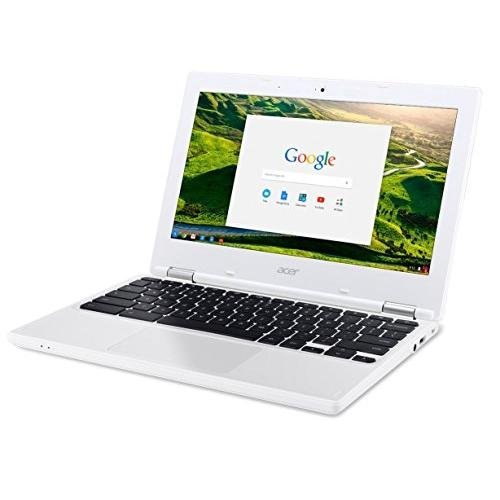
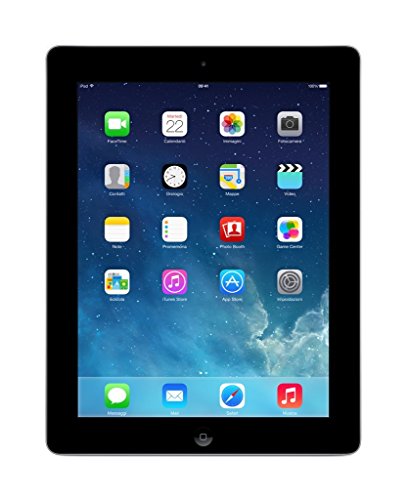
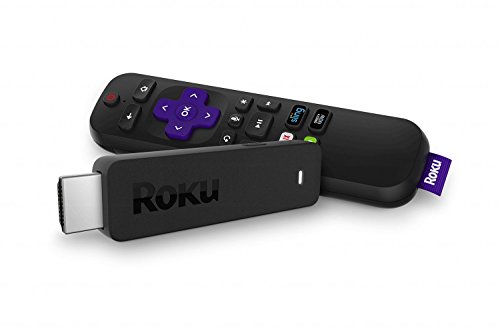
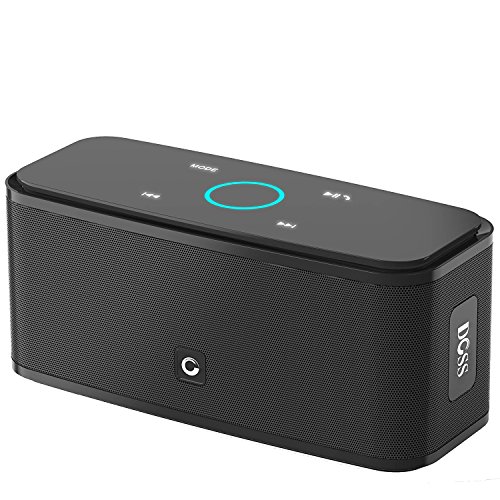
Chromebook Apple iPad 16GBRoku Streaming StickDOSS Touch Wireless Bluetooth Portable SpeakerSkullcandy In-Ear Noise-Isolating Earbuds

Want some techie homeschooling tips and inspiration delivered to your inbox? Sign up here for weekly-ish emails from me.
Techie Homeschool Mom is a participant in the Amazon Services LLC Associates Program, an affiliate advertising program designed to provide a means for sites to earn advertising fees by advertising and linking to Amazon.com. You can read my full affiliate disclosure HERE.
About the Author

Just a geeky homeschooling mom inspiring digital learning and healthy tech habits for families.








Denison algebra is a miracle program. Starts in prealgebra.
Text book and video combo lessons.